Route Optimization for Distributors: How It Works and How to Implement It
Learn how route optimization helps distributors plan retailer deliveries, allocate vehicles and create more efficient delivery routes.
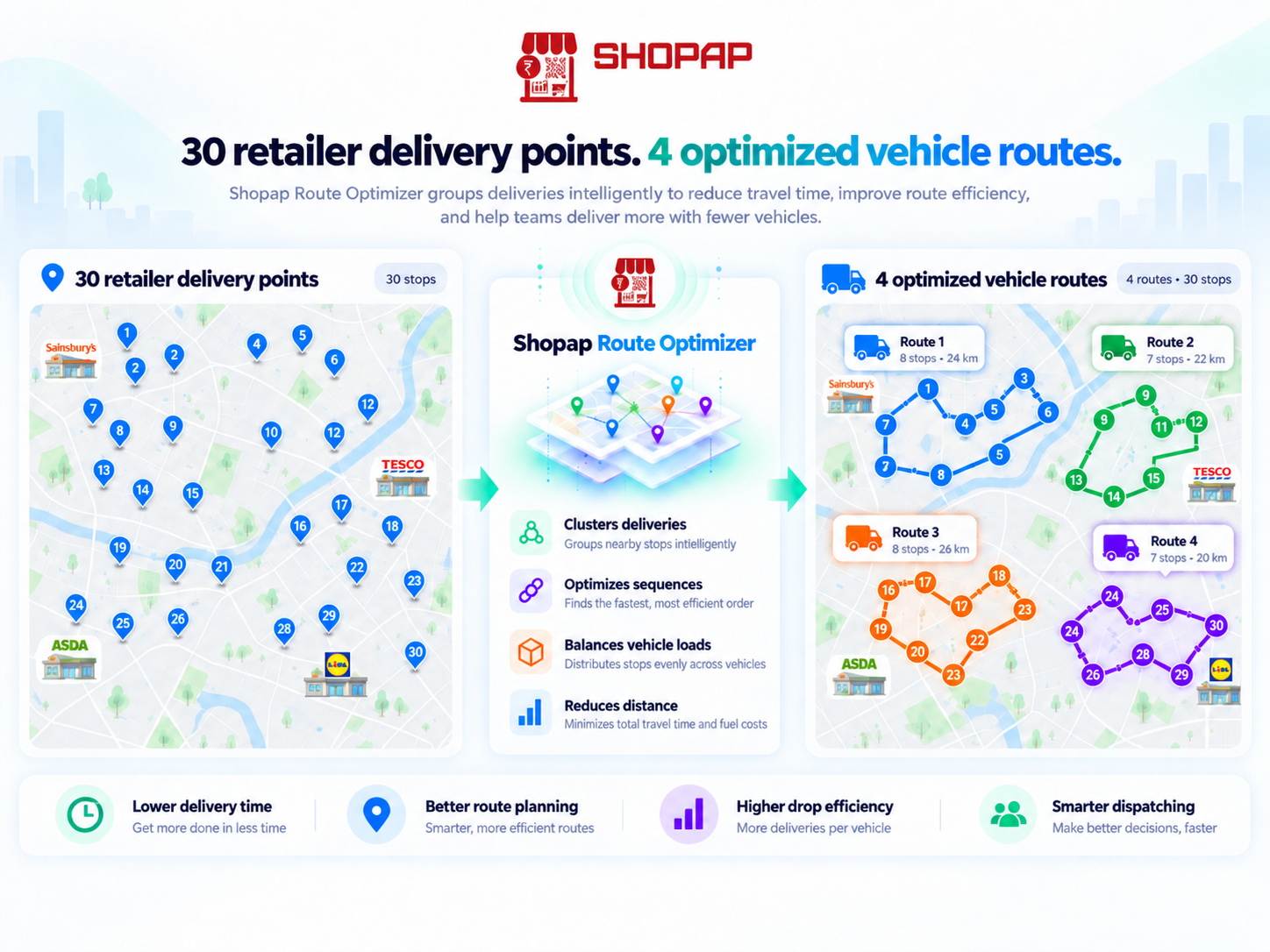
Plan retailer deliveries, allocate vehicles more efficiently and reduce the daily effort of manually creating delivery routes.
Too Long? Read This First
Route optimization is more than finding the shortest road.
For a distributor, it means taking the day's confirmed orders and creating an efficient delivery plan based on factors such as retailer location, vehicle capacity, delivery priority, time windows and available vehicles.
The final output is simple:
Which vehicle delivers which orders — and in what sequence.
What Is Route Optimization?
Route optimization is the process of determining an efficient delivery plan across multiple retailers and vehicles.
Imagine you have:
80 retailer deliveries + 6 vehicles + one warehouse.
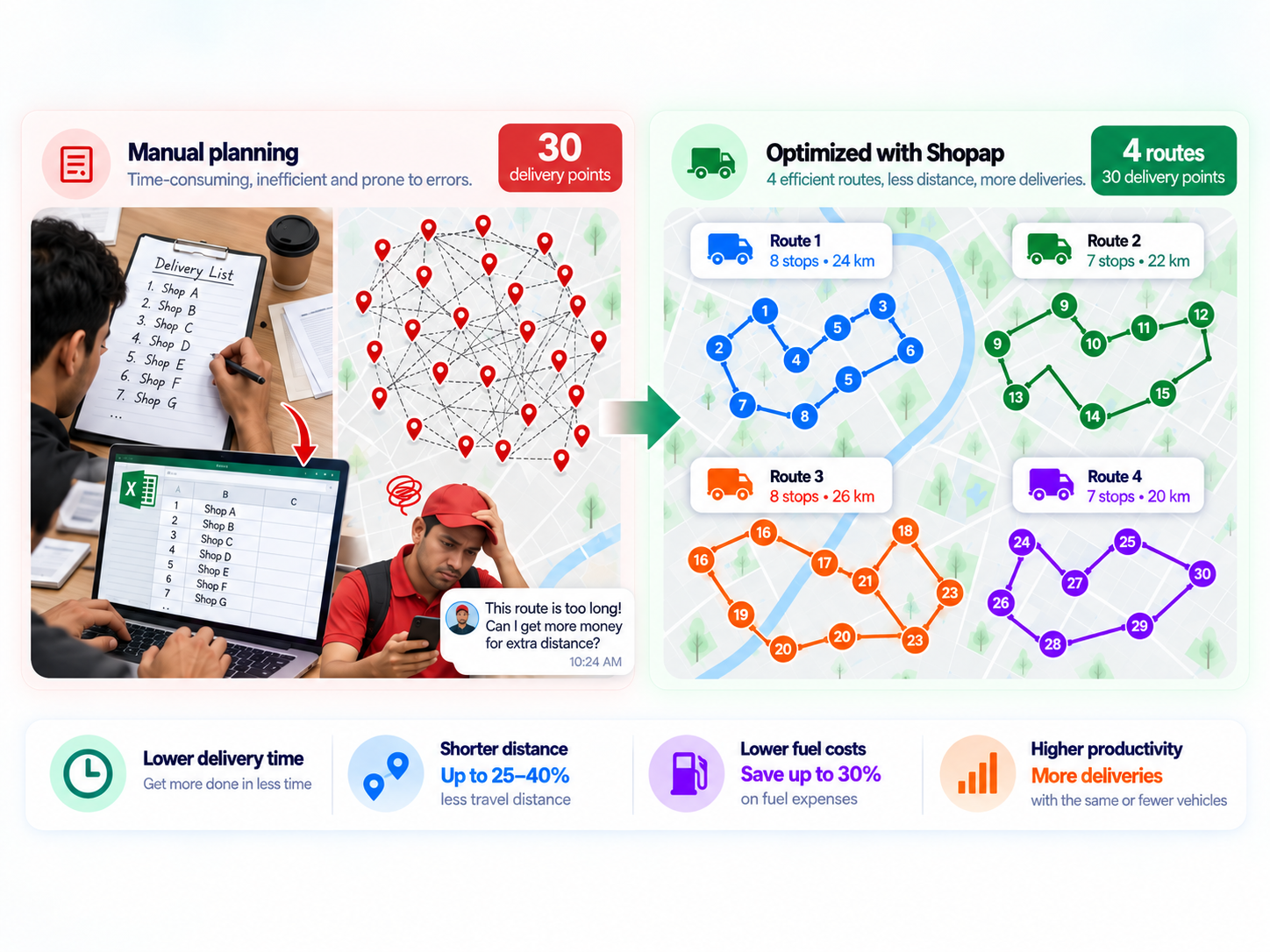
A manual approach might involve dividing orders by area and assigning them to drivers.
That can work, but it may result in:
- one vehicle being overloaded while another is underused
- unnecessary backtracking
- two vehicles covering the same area
- priority deliveries being scheduled too late
- longer routes than necessary
A route optimizer considers these variables together and creates a more structured fleet-wide delivery plan.
How Route Optimization Works for Distributors
The workflow can be understood in five simple steps.
1. Bring All Delivery Orders Together
Start with the orders that are ready to dispatch.
They may come from:
WhatsApp, sales representatives, ERP/DMS, Excel sheets or a B2B ordering portal.
Each order should ideally contain:
retailer → location → order quantity/weight → delivery requirement
The cleaner the order data, the better the route plan.
2. Add Vehicles and Delivery Constraints
Next, define the resources available for the day.
For example:
Vehicle A — 800 kg capacity
Vehicle B — 1,200 kg capacity
Vehicle C — 500 kg capacity
The optimizer may also consider:
warehouse location, retailer delivery windows, priority orders, available drivers and maximum vehicle capacity.
The objective isn't simply to create the shortest route.
It is to create a route that can actually be executed.
3. Allocate Orders Across Vehicles
The route optimizer determines which deliveries should be grouped together.
For example, if several retailers are located in the same area, the system can assign them to the same vehicle rather than sending multiple vehicles through overlapping locations.
This helps reduce unnecessary travel while making better use of available delivery capacity.
4. Generate the Delivery Sequence
Once the orders are allocated, the system determines the order in which retailers should be visited.
For example:
Vehicle 1
Warehouse
→ Retailer A
→ Retailer B
→ Retailer C
→ Warehouse
Vehicle 2
Warehouse
→ Retailer D
→ Retailer E
→ Retailer F
→ Warehouse
Drivers now receive a structured delivery plan instead of deciding the complete route after leaving the warehouse.
5. Execute and Track Deliveries
Drivers can receive their assigned retailers, order information and navigation links.
Google Maps or another navigation application can still be used for turn-by-turn navigation.
The route optimizer solves the larger operational problem:
Who should deliver what, and in which order?
The distributor can then monitor completed deliveries, failed stops and undelivered orders to improve future planning.
Google Maps vs a Route Optimizer
Google Maps helps a driver navigate.
A route optimizer helps the business plan the fleet.
For example:
Google Maps can tell:
“What is the fastest way from Retailer A to Retailer B?”
A route optimizer answers:
“Should Vehicle 1 visit Retailer A at all, or should that delivery be assigned to Vehicle 3 along with five nearby orders?”
That is an important distinction when managing dozens or hundreds of retailer deliveries.
How Can a Distributor Implement Route Optimization?
A basic implementation requires four things:
confirmed orders + retailer locations + vehicle information + delivery constraints
These inputs are sent to a routing engine, which generates vehicle-wise routes.
The challenge is often not the route calculation itself.
It is connecting the surrounding workflow.
Without integration, an operations team may still have to:
export orders → clean Excel → assign vehicles → upload locations → generate routes → send routes to drivers.
That can simply shift manual work from one place to another.
The more useful setup connects the order workflow directly with route planning.
Shopap Provides This Workflow
Shopap's distribution solution brings these steps together.
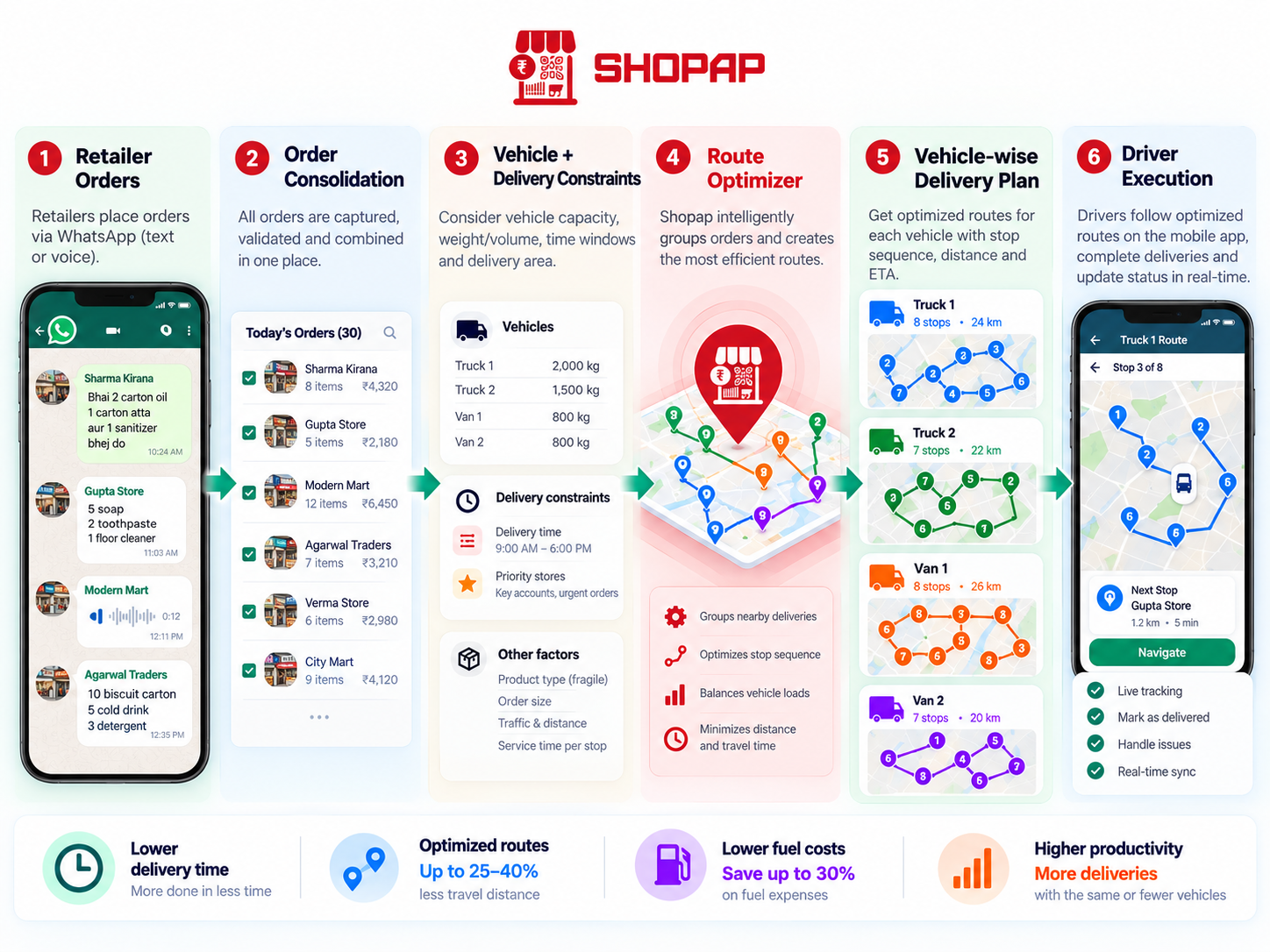
Orders received through channels such as WhatsApp, sales teams or order sheets can be consolidated into structured delivery data.
The in-built route optimizer can then use retailer locations, vehicles and operational constraints to create vehicle-wise delivery routes.
In simple terms:
Orders come in → routes are optimized → delivery teams know where to go.
What Should You Look for in Route Optimization Software?
When evaluating a route optimizer for your distribution business, don't only ask whether it can show routes on a map.
Check whether it can work with your actual order volume, vehicle capacity, delivery windows, retailer locations, depots and existing order systems.
Most importantly, ask:
How easily does today's order data reach the optimizer?
Because even a powerful optimizer adds limited value if your team still spends an hour every morning preparing its input manually.
Frequently Asked Questions
What is route optimization for distributors?
It is the process of allocating retailer deliveries across available vehicles and determining an efficient sequence of stops based on factors such as location, capacity and delivery priorities.
Is route optimization the same as Google Maps?
No. Google Maps primarily helps with navigation. Route optimization determines which vehicle should handle which orders before navigation begins.
Can route optimization reduce delivery costs?
It can help reduce unnecessary travel, manual planning and inefficient vehicle utilisation. Actual savings depend on the distributor's existing operations and delivery density.
Can Shopap optimize routes for WhatsApp orders?
Yes. Confirmed retailer orders can become inputs to Shopap's distribution workflow, allowing order capture and route planning to operate as part of the same process.
See how distributors can turn retailer WhatsApp messages into structured orders using AI, catalogue matching, stock checks, pricing and ERP workflows.